
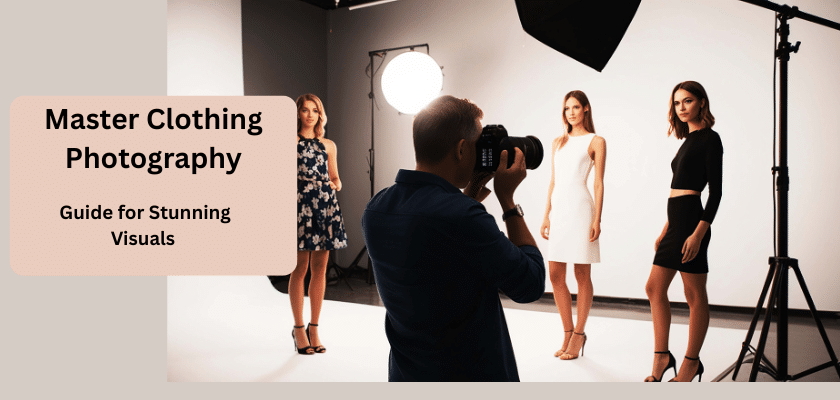
If you have an online store, you know that good photos matter the most. Shoppers can’t touch or try on the clothes, so product photography really does all the work for you. When you use high-quality images, your apparel looks great. This helps people feel good about what they buy.
This guide will show you what you need to know to take clothing photos that catch people’s eyes and boost sales in your online store.
Clothing Photography and Its Impact on Sales
Clothing Photography is used to see how your clothes look and feel. Good quality clothing photos help build trust. They also make your brand and your ecommerce store stand out.
When your product images look sharp, people see your ecommerce store as good and dependable. Nice visuals make people more likely to buy from you.
Let’s talk more about what you need in good apparel photography and how using top-notch clothing photos can help grow your brand.
What Makes Apparel Photography Unique
Most people prefer product photography featuring models who look like them. That’s why you have to think carefully about how you photograph apparel products.
You can use many styles in product photography, such as flat-lay, real models, or mannequins. No matter which way you choose, you need to get the clothes ready and clean, set up your photo studio’s lighting properly, and take photos that make your items look their best. Make sure the way you show your apparel photography fits what is trending now and what your customers like.
Essential Equipment for High-Quality Clothing Shoots
A product photography studio does have every item ready, but you can start small and still create great pictures. The important things are to have a good camera, a lighting setup you can use in different ways, and a simple, clean background. When you have the right tools, you can make the space work for you.
Now, let’s see what equipment you need for great product photography.
Choosing the Right Camera and Lenses
A smartphone can take good photos, but a DSLR or mirrorless camera gives you more control. A mirrorless camera is often lighter than a traditional camera. It comes with new features.
A standard 50mm prime lens works well for shooting models when the light is not bright. A macro lens lets you take close-up shots of fabric and sewing details. A zoom lens is good if you want to take wide and close-up photos easily, without having to move to a different place.
Lighting Tools for Garment Photography
You can use natural or studio lighting, but try to keep the lighting consistent across all your photos. If you are new to this, shooting near a big window is a good way to use natural light. This light is soft and makes most clothes look good.
Here are the parts of a three-point lighting setup:
- Key Light: The main light source and the brightest light. Point it at your product.
- Fill Light: This light helps reduce the shadows cast by the key light.
- Backlight: This light illuminates the back of your product, helping it stand out from the background.
- Diffusers and Bounce Cards: These tools soften light and reduce shadows.
Selecting Backgrounds and Backdrops
To sell online, most product photos use a plain white background. Sites like Amazon and eBay require a white or light gray background. This keeps their pages neat and consistent. When you use a simple background, there are no distractions. It lets the colors and textures of your clothing show up better.
Here are some good background choices to use when you take pictures of clothes:
- Seamless White Paper: The best option for getting a clear white background.
- Light Gray or Off-White: Helps your very light clothes stand out and gives better contrast.
- Canvas Drop Cloths: These are cheaper and add a nice textured look.
- Lifestyle Settings: Use real-world places that fit your brand for a more natural feel.
Later, you can make all your photos look the same by using a background-removal service.
Preparing Your Clothing for Photography
Small details, like wrinkles, lint, or loose threads, can ruin a photo. If these things are missed, you may end up spending many hours editing later. That’s why it is good to take time and make sure your apparel products are well-prepared before a photo session.
When every piece is clean, pressed, and styled correctly, you help yourself get better photos. The small details you take the time to add now will show in the final pictures and make the clothing stand out.
Now, let’s talk about how to get your clothes ready for the camera.
Cleaning, Steaming, and Styling Garments
The camera can show every little detail, so you want your clothing line to look good the first time. Check each piece for stains, loose threads, or rough spots.
Follow these steps to get your clothes ready:
- Inspect every piece and look for marks or problems.
- Always use a steamer or iron to smooth out all lines and folds.
- Use a lint roller, especially on dark clothes, to pick up any extra lint.
- Make sure every button is done, straight collars are in place, and ties are nicely fastened.
How to Arrange Clothes for a Flawless Appearance
How you set up a clothing item matters for how the shape and fit show in the photo. For flat-lay photography, place the clothing item on a clean, flat surface. Then make sure to arrange it with care. If you use tissue paper or cardboard and put it inside the clothing item, you can help it look more like a body. This stops it from looking lifeless or flat.
Managing Wrinkles, Lint, and Details
Wrinkles can come back even after you use a steamer. That is why you should keep your steamer or iron close during the shoot. It helps you fix wrinkles fast. It’s good to have a lint roller near you. This helps you pick up dust or fibers that show up at the last minute.
Pay close attention to things like buttons, collars, and seams. Check to be sure each one is in the right spot and sits well. You can use clear tape, clips, or pins to hold tricky tags in place or to make the mannequin look more fitted. These small tricks save time when you edit your photos.
Here are some tools to help handle the details:
- Lint Roller: Use this to remove dust and hair.
- Steamer: It gets wrinkles out fast during the shoot.
- Pins and Clips: These help you hold the cloth in place and adjust how the fabric fits.
- Tape: Use it to hide tags or keep small items in place.
Handling these details right is important if you want your clothing photos to look good and need less photo editing.
Setting Up Your Studio for Apparel Photography
Your photo studio can be set up wherever you have enough room. This could be a full room or just part of your office. It’s important to have a space where you can control the setup. First, add your backdrop and make sure there are no wrinkles or dirt on it. Set up your studio lights next. You want to arrange them to get the look you want.
Layout and Organization Tips for Small and Large Spaces
It is important to keep things organized for a good shoot. Before you bring in any gear, make sure the area is clean. Remove anything that you don’t need. There should be enough space for you to set up your backdrop, lights, and camera.
One good idea is to use some tape on the floor. Mark where your tripod goes and where your model or mannequin stands. This way, your shots will always have the same distance and angle.
Here are some easy ways to organize the space in your photo studio:
- Keep the shooting area clean and don’t let clutter pile up.
- Use tape to mark the right spots for your camera and the people or mannequins you shoot.
- Put a clothing rack nearby so you can keep clothes neat and wrinkle-free.
- Tape down cables so no one trips over them.
Optimizing Lighting Setups for Different Fabrics
Not all fabrics look the same when light is shone on them. You need to adjust your lighting setup based on the material you have. When the fabric is shiny, like silk or satin, direct light can cause strong reflections and wash out small details. It is a good idea to use a large diffuser to soften your light source.
When you take pictures of textured fabrics like wool or denim, you can use studio lighting or natural lighting to bring out the weave and feel. A light at a sharp angle puts gentle shadows on the fabric.
Here are some tips for different lighting conditions:
- Use diffusers for shiny fabrics to reduce harsh glare.
- Position lights at an angle to show the texture of materials like knits.
- Use a backlight for sheer fabrics to help people see how clear they are.
- Always look at the fabric for any unwanted shadows caused by its hang or drape.
Adjusting Camera Settings
The main settings to focus on are aperture, ISO, and shutter speed. When taking photos of clothing, you want most of the item to be in clear focus. Use a higher f-stop, like f/8 or f/11, for this.
Keep your ISO low. Something like 100-400 works best to prevent your pictures from looking grainy. If you use a tripod, you can go with a slower shutter speed. Try 1/125 for good results since you will not have to worry about moving the camera. If you need to shoot a moving model, you’ll need a faster shutter speed to avoid blur.
Set your white balance to match the lighting conditions in your space. Auto white balance helps most time, but if you want more control, setting it yourself is better. Using a mirrorless camera or a DSLR in manual mode or aperture-priority mode helps you get the best product photography results.
Creative Display Methods in Garment Photography
How you style your clothes in a photo shoot can change how people see them. You can choose from three main options: flat-lay photography, a ghost mannequin, or real models. Each way has its own good points. If you use more than one of these styles, people get a better look at your clothes.
Let’s talk about each of these and help you choose what is right for your brand.
Flat Lay Techniques for Multiple Items
Flat-lay photography, also called tabletop photography, is a good, inexpensive way to take clothing photos. In this style, you place your items on a flat surface and take pictures from above. Flat lay is great for showing full outfits and for making the photos look nice, which helps you share on social media.
Using Models and Mannequins to Add Realism
Showing how clothes fit on the human body is important for online sales. Using a mannequin is a great way to show the shape and how the clothing hangs. This lets you save money, because you do not have to hire a model. If you want an even more professional look, the ghost mannequin effect is a good choice. With this technique, people see the clothing as if it were on an invisible person. This helps give it a 3D shape.
When you use model photography, it adds life and style to your clothing. The model can pose in ways that make each garment look good. This helps customers connect with your brand. This way works well if you need lifestyle pictures that show your clothing in everyday use.
Making the ghost mannequin effect does need some photo editing. But the results are worth it. This method gives the look of the human body while keeping the product shot clean and clear. If you want expert help, a provider like clipping path king can make this effect for you.
Editing and Enhancing Your Clothing Photos
The photo shoot is just the start of getting great product images. Photo editing, or post-production, is where you really make your clothing photos look their best. This step is key if you want a consistent, professional look for your online store. Every photo needs some basic edits, such as color correction and cropping.
If you use advanced edits like background removal or photo retouching, your product images can stand out even more. A good photo editor will help fix minor issues and ensure your products always look good. In this section, we will go over basic and advanced edits to improve your clothing photos for an online store.
Basic Edits: Color, Brightness, and Cropping
Basic photo editing is a key part of getting your product images ready for your website. The first thing you need to focus on is color correction. It’s very important that the color in your photos matches the real product. If the colors are wrong, people might return what they bought.
After that, change the brightness and contrast. This helps the image stand out more. Your photos should be clear and light, but not so bright that details fade. You should also use cropping. ensure every photo is the same shape and size.
Here are the basic edits every clothing photo needs:
- Color Correction: Make sure colors match what you see in real life.
- Brightness & Contrast: Show a picture that’s easy to see and stands out.
- Cropping: Fix how things are placed in the photo and keep every picture the same.
- Straightening: Ensure the product and any background lines are straight.
Advanced Retouching for Professional Results
If you want your product photography to stand out, advanced photo editing is important. This work does more than basic fixing. The goal is to make your product photo look just right and give it a professional look. Using a clipping path helps you remove the background. This will give your photos a clean and steady white background, which is great for e-commerce photos.
Photo editing can remove wrinkles or lint you may not have noticed. If you do clothing product photography, adding a drop shadow in post-processing helps your product look more realistic and have depth. For a really sharp professional look, you may also want the ghost mannequin effect.
These advanced product photo edits take skill and time. So, if you want perfect results and save yourself from extra work, consider using a professional photo editing service. At Clipping Path King, our team works with every kind of product photography. We cover simple white background and background removal, drop shadow, and the ghost mannequin effect, too.
Check out Clipping Path King to see how we can make your product photos look great.
Conclusion
To sum it up, clothing photography is more than taking pictures. It is about telling a story that connects with people. When you know what makes apparel photography different, use high-quality camera gear, and get better at setting up shots and editing, you can create photos that help your brand stand out and drive more sales. Every photo is a chance to show your clothes in a way that helps the customer picture wearing them.

